
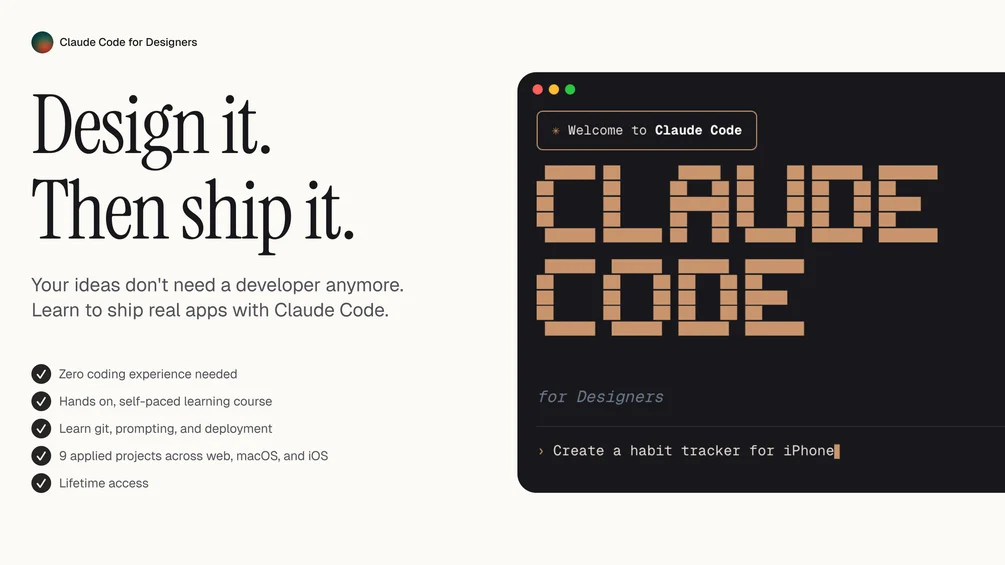
Claude Code for Designers – 2026 Course
The design industry is evolving faster than ever. Artificial intelligence is no longer just a trend — it is becoming an essential tool in modern creative workflows. Designers who understand how to collaborate with AI are gaining a serious competitive advantage.
Claude Code for Designers – 2026 Course is built for creative professionals who want to bridge the gap between design thinking and AI-powered development. Whether you are a UI/UX designer, product designer, branding expert, or digital creator, this course helps you unlock a new level of productivity and innovation using Claude AI.
This is not a programming-heavy course. It is a practical, designer-first training that teaches you how to think, build, prototype, automate, and ship smarter using AI-assisted coding and creative systems.
Why Designers Must Learn AI Code in 2026
Design is no longer limited to static mockups. Today’s designers are expected to:
Build interactive prototypes
Automate workflows
Create AI-enhanced user experiences
Collaborate with developers efficiently
Ship faster with fewer resources
AI tools like Claude allow designers to move beyond visuals and into intelligent product creation. Instead of waiting on developers, you can generate front-end code, automate repetitive tasks, test UX copy variations, and even create micro-apps — all through guided AI collaboration.
The result?
dependence. More creativity. More impact.
What Makes This Course Different
Unlike traditional coding bootcamps, this program focuses on design-led AI implementation. You will not learn unnecessary backend complexity. Instead, you’ll master:
Prompt engineering for designers
Generating clean UI code
Rapid prototyping systems
UX writing with AI
Automation for design workflows
Building real-world interactive components
It is structured specifically for creatives who think visually but want technical leverage.
Course Overview
1. Foundations of AI-Assisted Design
You begin with understanding how Claude works and how to communicate with AI effectively. This module covers:
AI fundamentals explained simply
Writing high-quality prompts
Structuring design-based instructions
Turning sketches into structured code
Improving output accuracy
You’ll learn how to “design with language” — a powerful new skill in the AI era.
2. From Figma to Functional Code
One of the biggest pain points for designers is translating visuals into working interfaces. This module shows you how to:
Convert design layouts into HTML/CSS
Generate responsive components
Build landing pages quickly
Refine UI details using AI iteration
Create reusable component systems
Instead of manually writing every line, you guide the AI to produce clean, structured output that developers can use instantly.
3. AI for UX Writing & Microcopy
Great design is not only visual — it is communication.
In this section, you’ll discover how to:
Generate high-converting CTAs
Improve onboarding flows
Create user-friendly error messages
Optimize product descriptions
Test multiple copy variations
You’ll learn how to combine psychology and AI to create messaging that improves conversions and user satisfaction.
4. Automation for Designers
Repetitive tasks drain creativity. This module focuses on eliminating busywork.
You’ll learn how to:
Automate design documentation
Generate style guides instantly
Create design system documentation
Build workflow scripts
Save hours every week
By the end of this section, you’ll think like a systems designer — not just a visual creator.
5. Rapid Prototyping with AI
Speed is everything in 2026.
This module helps you:
Create interactive product prototypes
Simulate user journeys
Build small web tools
Test product ideas quickly
Launch MVP concepts
You’ll move from idea to working prototype in record time — without deep programming knowledge.
6. Real-World Projects
The course includes hands-on projects such as:
AI-enhanced portfolio website
Smart landing page generator
UX copy optimization tool
Micro SaaS design prototype
Automated design workflow template
Each project strengthens both creative thinking and practical implementation.
Who This Course Is For
This training is ideal for:
UI/UX designers
Product designers
Web designers
Branding specialists
Creative directors
No-code builders
Freelancers who want higher-paying skills
Even if you have zero coding background, the structured lessons make the learning process simple and practical.
Skills You Will Master
After completing the program, you will confidently:
Communicate with AI using structured prompts
Generate front-end code from design ideas
Improve UX copy and micro-interactions
Automate repetitive design workflows
Prototype faster than competitors
Collaborate more effectively with developers
Offer AI-powered services to clients
These skills are highly valuable in agencies, startups, and freelance markets.
Career Advantages in 2026
Designers who integrate AI into their workflow are becoming highly sought-after professionals. Companies want creatives who:
Understand technology
Work efficiently
Reduce development time
Improve product performance
Think systemically
By mastering AI-assisted design, you position yourself as a future-ready creative professional.
This course does not replace your creativity — it amplifies it.
How This Course Improves Freelance Income
If you are a freelancer, the benefits are even bigger.
You can:
Deliver projects faster
Offer AI-enhanced services
Build mini tools for clients
Create custom automation
Charge premium rates
Clients are willing to pay more for designers who provide innovation, speed, and measurable results.
Learning Format
The course includes:
Step-by-step video lessons
Practical demonstrations
Downloadable resources
Prompt templates
Real-world examples
Project walkthroughs
Each lesson builds progressively so you never feel overwhelmed.
Why 2026 Is the Perfect Time to Start
AI integration in design is no longer optional. Tools are improving rapidly, and those who adapt early will dominate the industry.
The biggest mistake designers make is waiting too long to learn new systems. Early adopters always gain the strongest market positioning.
By mastering Claude-based workflows now, you secure a long-term competitive edge.
Common Myths About AI for Designers
“AI will replace designers.”
No. AI replaces repetitive tasks — not creativity.
“You need deep coding knowledge.”
Not true. This course is built specifically for non-developers.
“AI outputs are low quality.”
When guided correctly, outputs are structured, clean, and production-ready.
The real difference lies in knowing how to instruct the AI properly — which this course teaches thoroughly.
Long-Term Benefits
Learning AI-assisted design is not just about today’s tools. It builds:
Technical confidence
Faster creative execution
System-level thinking
Cross-functional collaboration skills
Future-proof expertise
These advantages compound over time, increasing both earning potential and professional influence.
Final Thoughts
Design is evolving into something far more powerful than visual aesthetics. It is becoming a hybrid discipline that combines creativity, psychology, automation, and intelligent systems.
Claude Code for Designers – 2026 Course prepares you for that future.
It transforms you from a traditional designer into a creative technologist — someone who can think, build, automate, and innovate using AI as a strategic partner.
If you want to stay ahead in the design industry, increase your income, speed up your workflow, and create smarter digital products, this training provides the roadmap.
The future belongs to designers who understand AI.
And that future starts now.



Reviews
There are no reviews yet.