
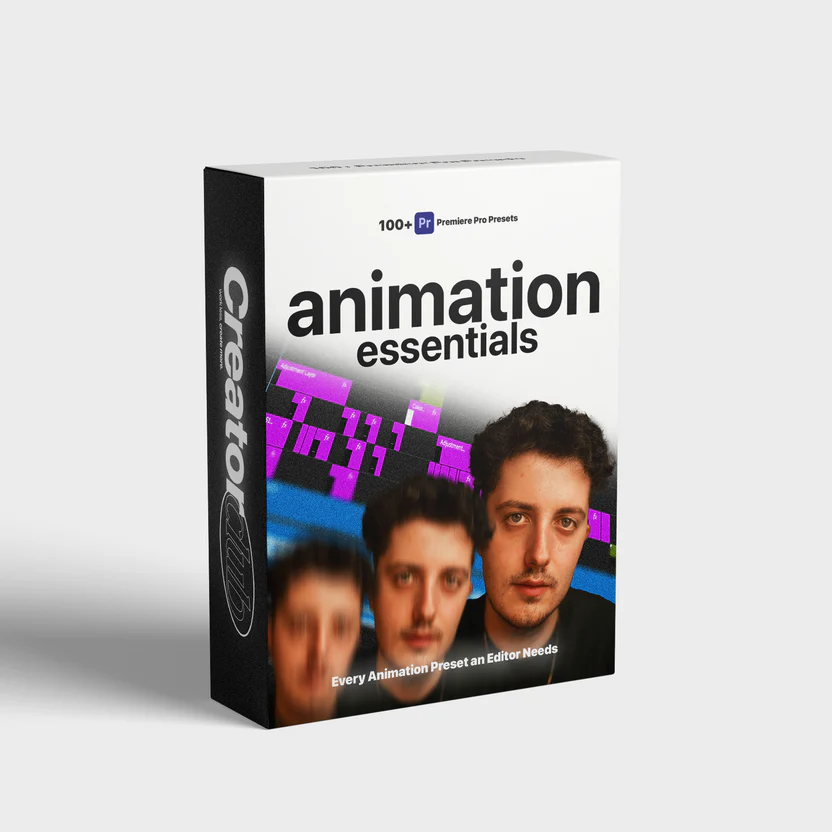
Animation Essentials – 100+ Adobe Premiere Pro Presets
Creating professional-quality motion graphics no longer requires hours of manual keyframing or advanced animation expertise. With the right tools, even complex visual storytelling becomes fast, intuitive, and repeatable. Animation Essentials – 100+ Adobe Premiere Pro Presets is designed to transform everyday video edits into polished, cinematic productions—without slowing down your workflow.
This in-depth guide explores how a comprehensive preset library can elevate your edits, streamline production, and help you deliver visually compelling videos consistently. Whether you’re a YouTuber, filmmaker, marketer, or content creator, this resource explains why animation presets are now a must-have for modern editors.
What Are Adobe Premiere Pro Animation Presets?
Animation presets are pre-built motion effects created specifically for Adobe Premiere Pro. They apply professional animation behaviors—such as transitions, text motion, overlays, and camera effects—using a single drag-and-drop action.
Instead of building animations from scratch, presets give you instant access to refined motion styles that are customizable and reusable across projects. This approach saves time, ensures consistency, and allows creators to focus on storytelling rather than technical complexity.
Why Animation Presets Matter in Modern Video Editing
Today’s audiences expect motion-rich visuals. Static cuts and plain text are no longer enough to hold attention across platforms like YouTube, Instagram, and corporate presentations.
Animation presets solve several key challenges:
Speed: Reduce editing time dramatically
Consistency: Maintain a unified visual style
Quality: Achieve professional motion design instantly
Scalability: Apply the same look across multiple projects
For creators managing tight deadlines or frequent uploads, presets are not just convenient—they’re essential.
What Makes This Preset Collection Stand Out
This collection is curated to cover a wide range of real-world editing needs while remaining lightweight and easy to use. Every preset is optimized for performance and visual impact.
1. Massive Variety of Presets
With over 100 unique animation assets, you gain access to transitions, text animations, overlays, and effects suitable for nearly every editing scenario.
2. Designed for Real Projects
Each preset is crafted with practical use in mind—ideal for YouTube videos, ads, tutorials, documentaries, reels, and corporate content.
3. Beginner-Friendly Workflow
No advanced animation knowledge is required. Presets are fully compatible with standard Premiere Pro timelines and panels.
4. Fully Customizable
Colors, timing, scale, and motion parameters can be adjusted easily, ensuring the presets adapt to your brand or creative vision.
Types of Presets Included
Smooth Transitions
Add dynamic flow between scenes using clean, modern transitions. These effects enhance continuity without distracting from the narrative.
Text Animations
Animated titles, subtitles, and lower thirds help communicate information clearly while maintaining visual interest.
Motion Overlays
Enhance footage with light leaks, glitch effects, and subtle motion textures that add depth and energy.
Camera Movement Effects
Simulate pans, zooms, and shakes to create cinematic motion even from static footage.
Social Media Optimized Animations
Presets designed for vertical, square, and widescreen formats ensure your content looks great across platforms.
How These Presets Improve Workflow Efficiency
Efficiency is a major factor for editors working on multiple projects. Animation presets eliminate repetitive tasks and reduce setup time.
Instead of:
Creating keyframes manually
Adjusting easing curves repeatedly
Testing multiple motion styles
You simply apply a preset and fine-tune the result. This approach allows editors to deliver more projects in less time while maintaining consistent quality.
Who Should Use This Preset Pack?
Content Creators & YouTubers
Boost watch time and engagement with professional motion graphics that make videos more dynamic.
Freelance Video Editors
Deliver premium results quickly, helping you take on more clients without sacrificing quality.
Marketing & Advertising Teams
Produce branded video ads with consistent animation styles across campaigns.
Educators & Course Creators
Make tutorials more engaging with animated callouts, titles, and transitions.
Filmmakers & Vloggers
Enhance storytelling with cinematic motion without complex visual effects workflows.
Seamless Integration with Adobe Premiere Pro
These presets integrate directly into Adobe Premiere Pro, meaning no additional plugins or third-party tools are required. Once installed, they appear inside your Effects panel for easy access.
They are compatible with modern versions of Premiere Pro and work smoothly on both Windows and macOS systems, making them ideal for solo creators and professional studios alike.
Creative Control Without Complexity
One of the biggest advantages of using presets is the balance between automation and creative freedom. While the base animation is pre-built, you still control:
Timing and duration
Color palettes and fonts
Positioning and scale
Opacity and blending modes
This flexibility ensures your videos never feel generic or overused.
Enhancing Visual Storytelling
Animation is not just decoration—it’s a storytelling tool. Motion directs attention, emphasizes key points, and improves viewer retention.
By using thoughtfully designed animation presets, editors can:
Highlight important moments
Guide the viewer’s eye
Create rhythm and pacing
Strengthen emotional impact
These subtle improvements can significantly elevate the perceived quality of your content.
Long-Term Value for Editors
Unlike single-use templates, animation presets are reusable across unlimited projects. As your skills grow, the same presets can be customized in new ways, extending their lifespan and value.
This makes a comprehensive preset library a long-term investment rather than a short-term solution.
Final Thoughts
In a competitive content landscape, quality and efficiency define success. Animation Essentials – 100+ Adobe Premiere Pro Presets empowers creators to produce visually stunning videos faster, smarter, and more consistently.



Reviews
There are no reviews yet.